
E-commerce workflow examples
See how AI can handle your daily work.
Explore customer replies, static ads, email campaigns and reporting, with the review steps your team controls.
Workflow illustrations and demo captures with sample data. No client results or live actions are shown.
Customer support
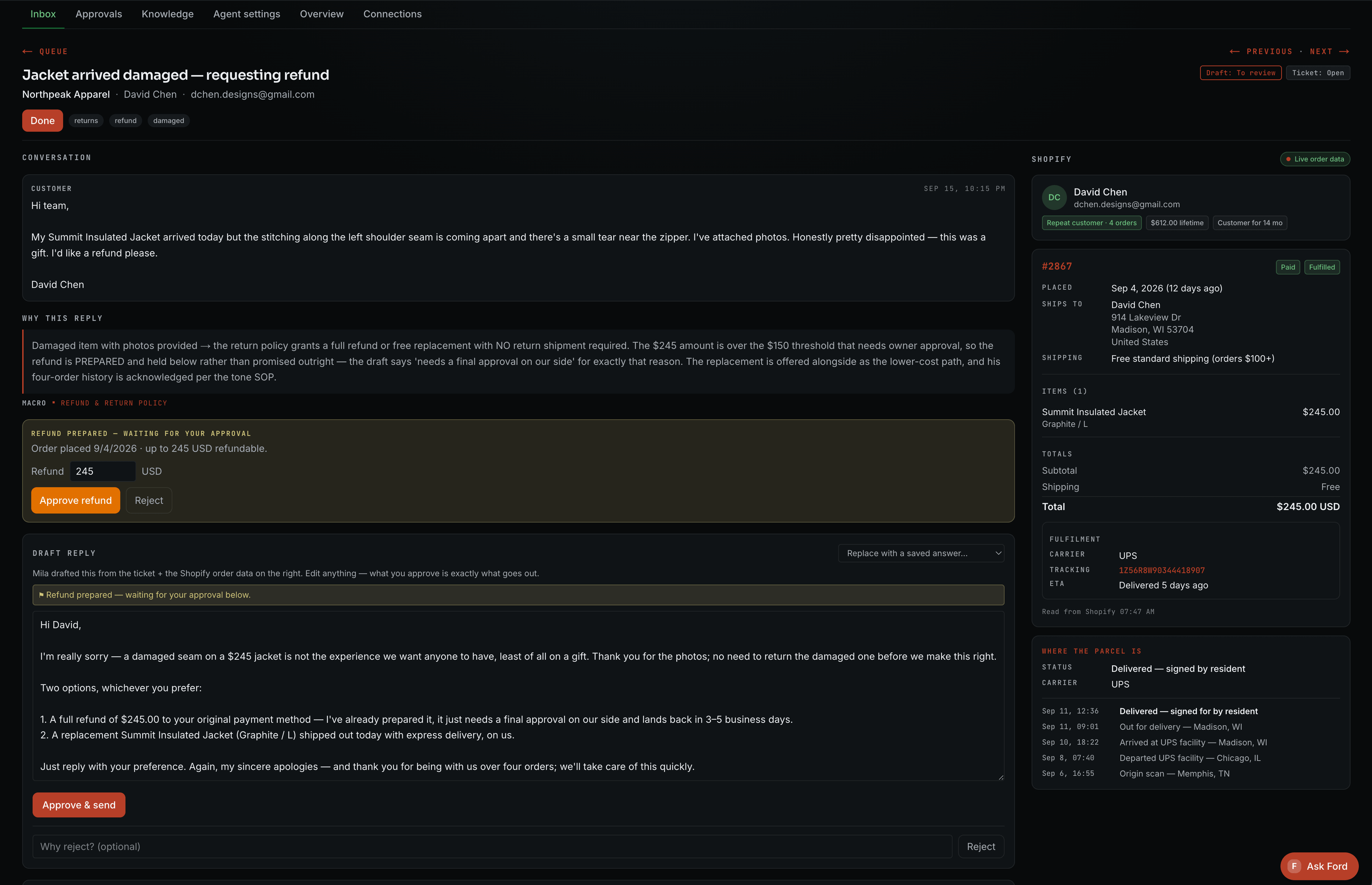
From delivery question to prepared reply.
The agent checks the order, tracking and your shipping policy, then drafts a response for your team to review.
Workflow details
- Customer question
“Can you check the status of my order?”
- Context to retrieve
The matching order, the latest available tracking update and the approved shipping policy
- Prepared work
A reply based on that context, or an exception when the information is missing
- Human decision
Review the response; sending without review requires separately agreed rules
Agents gather the order context and prepare the reply. Your rules decide when a person steps in.
Static creative production
Turn one brief into static ads to review.
Use your product images and brand direction to prepare static ads and copy. Your team checks the details and chooses what to download and test.
On repeat.Meet the merino crew ↗
A merino crew for the everyday. Find your next layer in the collection.
Authored concept · fictional brand · not generated system output
Workflow details
- Client input
Original product images, approved brand assets, product facts and the creative brief
- Production direction
Selected concepts, supported layouts and the static formats included in the scope
- Prepared work
Static ad variations and accompanying copy
- Human decision
Review product accuracy and design, request changes and select assets to download
Download reviewed static assets and copy. Ad publishing and video production are outside the standard workflow.
Email marketing automation
Get the next campaign ready in Klaviyo.
Give the campaign direction, review the email, then pass it to Klaviyo as a draft. Scheduling and sending follow separately agreed permissions.
A new season.
Your next everyday layer.
Meet the new collection. Considered pieces for wherever the day takes you.
Explore the collectionAuthored example · fictional brand · custom-build illustration
Workflow details
- Client input
Campaign purpose, product details, approved offer, brand direction and intended audience
- Prepared work
Copy and layout within the agreed template
- Human decision
Review the content, product links and audience instructions
- Selected handoff
Prepare a Klaviyo draft; scheduling or sending requires separately scoped behavior
Approval of content and permission to publish are separate decisions. Your implementation defines both.
Reporting
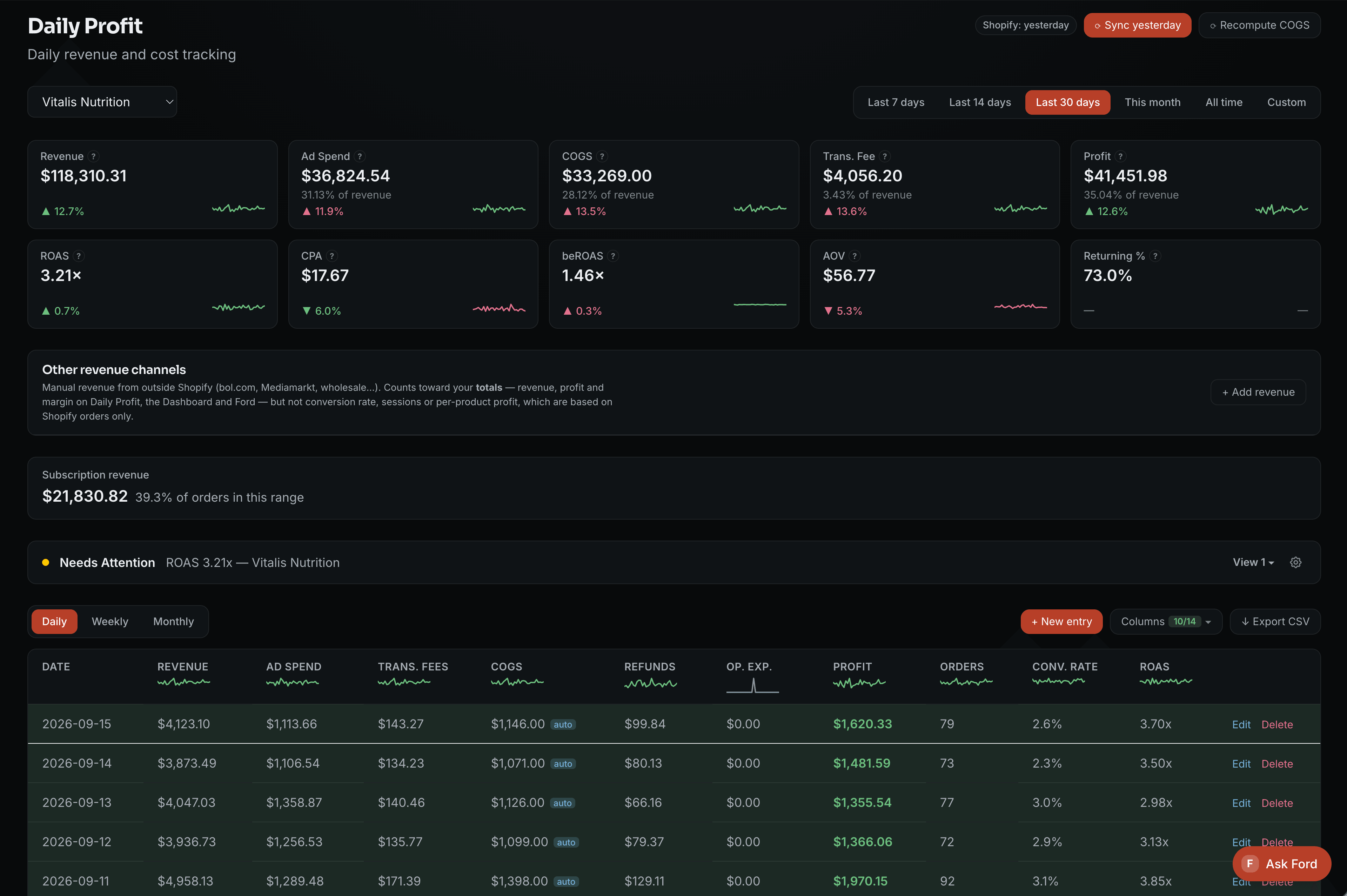
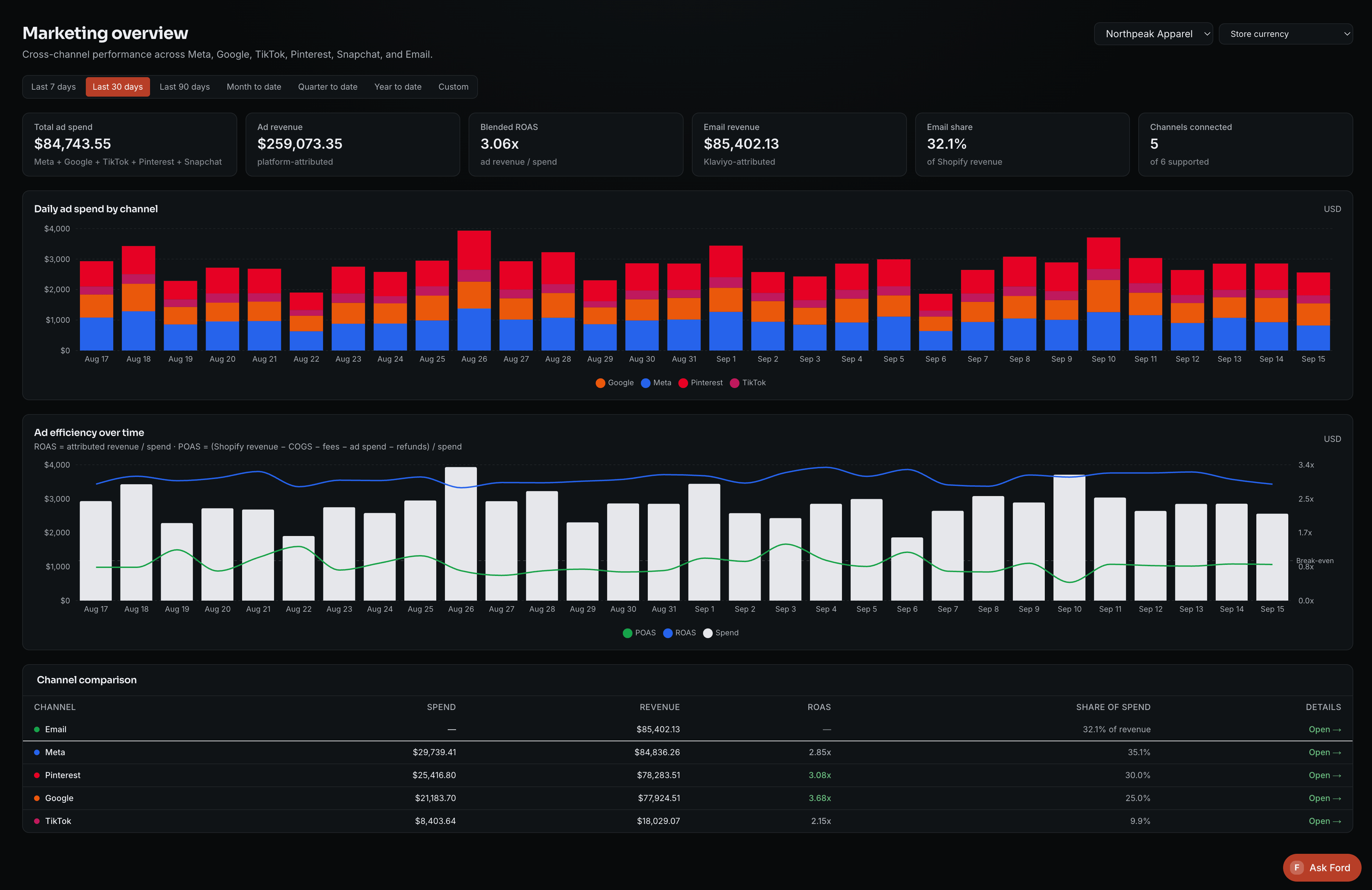
See sales, ad spend and costs together.
Bring the agreed figures into one dashboard. Check business and marketing performance, with sources and missing inputs visible.
Workflow details
- Agreed sources
Store sales, selected advertising accounts and the required cost inputs
- Definitions
Date range, currency, refund treatment, included costs and attribution sources
- Prepared view
Business, platform and campaign reporting, with product detail where mappings support it
- Human decision
Review the result with source freshness and missing inputs visible
Check which costs each figure includes. Contribution and net profit use different definitions.
One custom dashboard for your agents and tools.
Your agents’ work and business performance come together in a dashboard built for your business. This is the original e-commerce demo that started that approach.
Read the founder’s story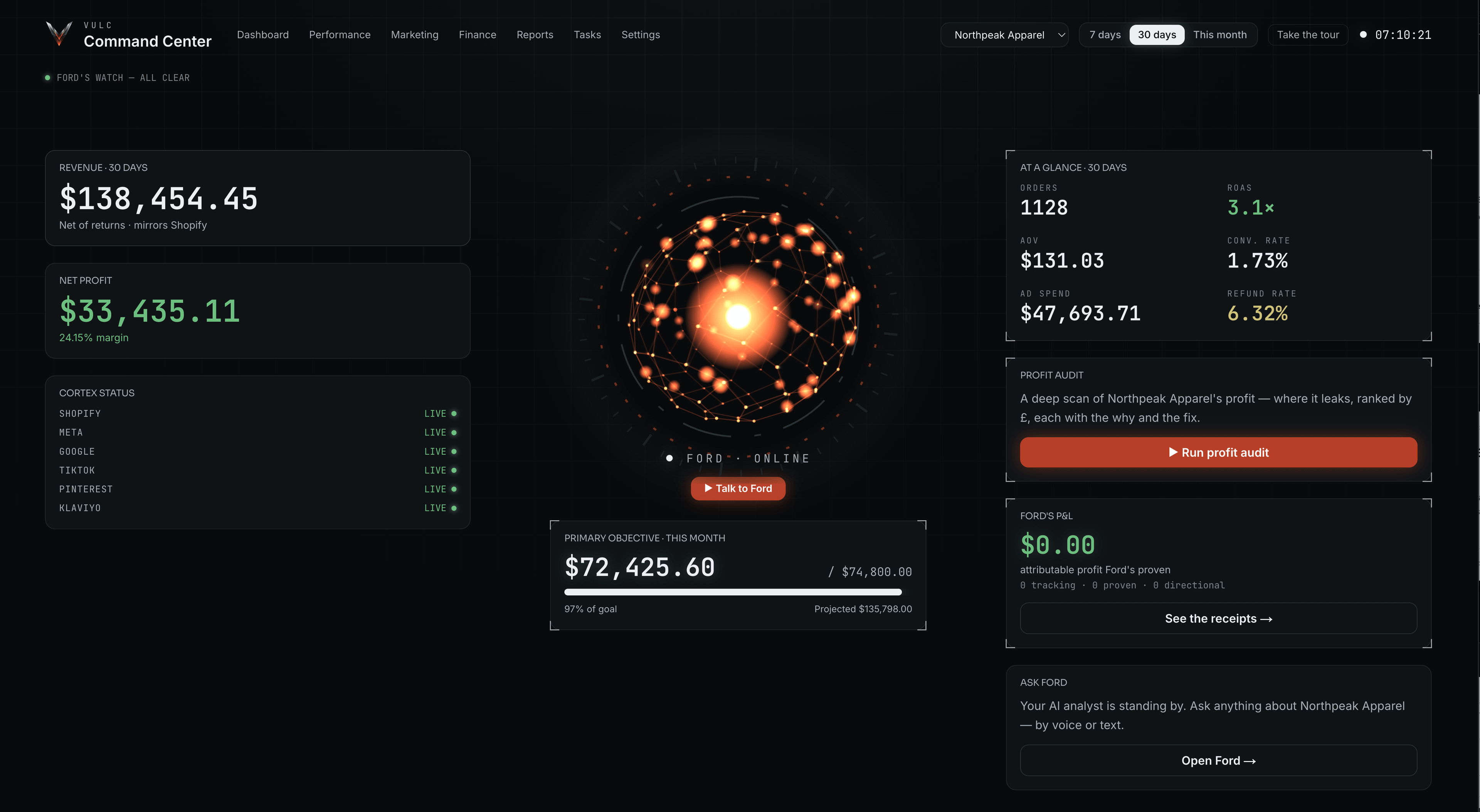
Which of these tasks is still on your team’s list?
Tell us how the work happens today. We’ll look at what AI could take over and what your team should keep reviewing.